
Thimble
Resize and compress images
Good things. Smaller packages. Make lighter copies of photos and screenshots for everyday sharing.
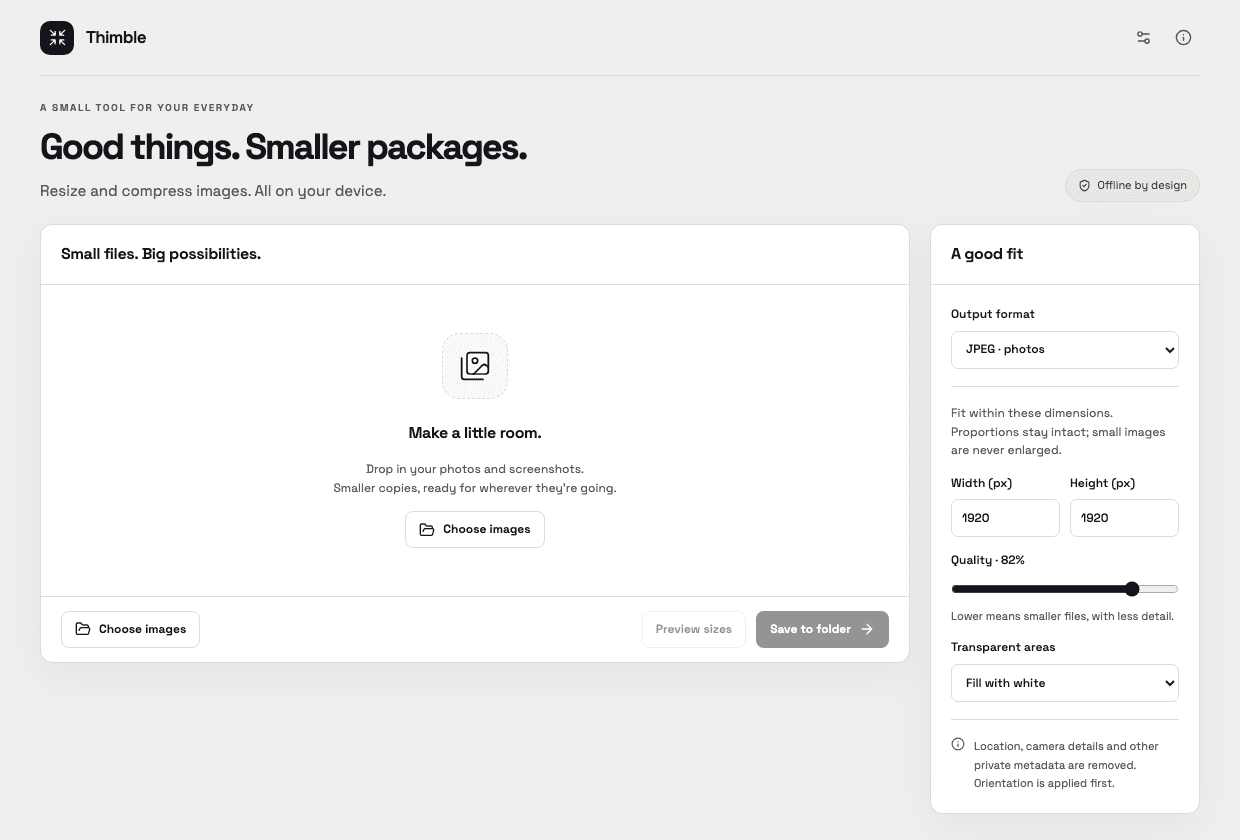
A small, useful set of features
- Batch-convert JPEG, PNG and WebP.
- Fit images inside your chosen dimensions without enlarging them.
- Set JPEG or WebP quality and preview actual output sizes.
- Apply orientation, remove private metadata and save new copies.
Supported files
JPEG, PNG and WebP
Up to 200 images; 100 MB and 40 megapixels per input. PNG/WebP preserve transparency; JPEG fills it with white or black. RGB profiles are converted to sRGB. HEIC, animation, video and guaranteed target sizes are planned for later.
Get Thimble
Public downloads are not available yet. The first release is being prepared.
Planned platform support
macOS 12 or newer: choose Apple Silicon for Macs with an Apple M-series chip. A separate Intel-only download is planned for older Intel Macs. Check your chip in Apple menu → About This Mac.
Windows 10/11 x64 will have both a standard installer and a full offline installer with WebView2. Platform testing is still in progress.
Your data stays yours
Images are decoded and encoded locally. Originals remain unchanged. Camera, location and other private metadata are removed from new files.
Preferences stay local and can be exported or reset. Update checks use the internet only when you request them. There is no account, activation or subscription.
No tracking by default. Optional usage sharing will require your permission and can be turned off in Settings. Summaries contain usage counts, app version and platform type, never your text, images, filenames or paths. Reporting is unavailable in current development builds; no usage counts are collected or sent. Read the usage privacy notice.
Appearance follows your computer by default. Choose Light or Dark in Settings to keep your preferred look.
Changelog
- 0.1.0 development preview: resizing, conversion, metadata removal and per-image results.